Inquiry
Leave Your Message
Online Inuiry
WhatsAppWhatsapp 
6503fd048f54d46697

Why Choose Inkjet Label Sheets for Your Business?

Choosing the right label format can shape how customers notice, trust, and remember a product. Inkjet Label Sheets offer a practical option for small businesses, home-based brands, and growing manufacturers that need flexible production. They support short runs without expensive plate setup or long ordering schedules. A business can print a revised design this afternoon, test it on glass jars tomorrow, and adjust it again after customer feedback.

Packaging consultant Kevin Uffindell has noted, “The best label is one that performs before it is noticed.” That idea matters in real production. A clean label should resist smudging, align accurately, and remain readable under ordinary handling. Inkjet Label Sheets can provide sharp color, useful personalization, and fast turnaround when matched with compatible printers and materials. Glossy sheets may strengthen product photography, while matte stocks can improve handwriting and reduce distracting reflections.

Still, convenience does not guarantee success. Poor calibration can create uneven margins. Cheap adhesive may lift from cold containers. We learned this the hard way. Testing one sheet is wiser than trusting a product description alone. Businesses should compare paper texture, ink absorption, drying time, and application temperature before committing to large quantities.

This article explores why Inkjet Label Sheets deserve consideration, where they perform best, and which limitations require attention. It also examines workflow costs, visual consistency, and customer experience. The goal is not to promise a perfect solution. It is to help businesses make a more informed, evidence-based choice.

Why Choose Inkjet Label Sheets for Your Business?

What Are Inkjet Label Sheets and How Do They Work?

Why Choose Inkjet Label Sheets for Your Business?

Inkjet label sheets are printable adhesive sheets designed for desktop inkjet printers. They combine a smooth printable surface with a pressure-sensitive backing. During printing, the printer sprays tiny droplets of ink onto the coated surface. The coating helps control absorption, so text stays sharp and images keep their color. After printing, each label can be peeled and applied to boxes, envelopes, jars, folders, or product samples.

Their main advantage is flexibility.

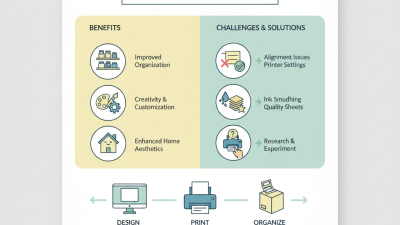
A small business can print a short batch without ordering thousands of pre-printed labels. This helps when prices, product details, or contact information change often. In practical use, accurate printer settings matter. Select the correct paper type, match the sheet size, and leave printed sheets flat while the ink dries. Some materials need extra protection from water or frequent handling. A small mistake in alignment can waste a full sheet.

Tips:

Print one test sheet first. Check margins, color, and cutting lines. Use high-quality settings for images, but avoid excessive ink coverage. Let labels dry completely before stacking them.

I have found that simple designs are often easier to read and apply. Still, inkjet sheets are not perfect for every workplace. Humid storage, rough surfaces, and heavy rubbing may reduce performance. Choosing the right adhesive and surface finish requires a little testing.
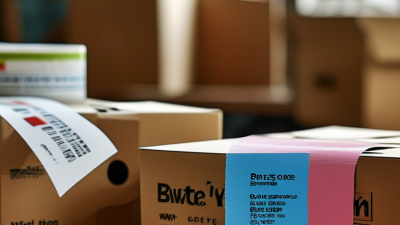
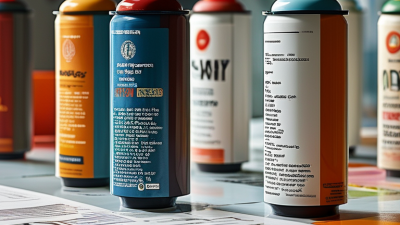
Which Businesses Benefit Most from Inkjet Label Sheets?

Inkjet label sheets suit businesses that need short runs, quick changes, and personalized packaging.

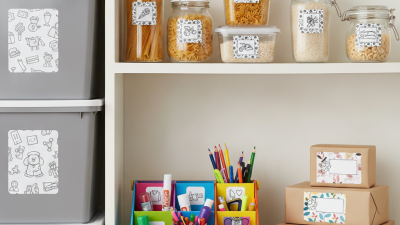
Home-based food producers, candle makers, craft sellers, and small cosmetic companies can print only what they need. This reduces leftover stock when a flavor, scent, or product name changes. It also supports seasonal designs, such as bright summer labels or handwritten-style gift packaging. Small details matter.

The Smithers report The Future of Digital Print for Labels and Packaging to 2028 identifies continued growth in digital label production, driven by customization and shorter production runs. Inkjet sheets bring these advantages to ordinary office environments without requiring industrial equipment. A local bakery, for example, can print 80 allergen-information labels before a weekend market. The process is practical, though paper feeding and ink drying can still cause frustrating waste.

Online retailers and subscription businesses may benefit as well. The 2024 FINAT Radar report shows that label demand remains closely connected to changing product ranges and brand differentiation in Europe. Inkjet sheets allow sellers to test several designs before committing to larger quantities. They work especially well for sample boxes, limited editions, and small-batch products. However, not every business should use them. Outdoor goods, refrigerated packaging, and legally regulated products may require materials, adhesives, or certification beyond standard sheets. Testing print quality, moisture resistance, and readability remains essential.

What Advantages Do Inkjet Label Sheets Offer?

Inkjet label sheets offer a practical way to produce professional labels without ordering large quantities. They suit small businesses, seasonal products, samples, and limited-edition packaging. You can print only what you need. This reduces unused stock and keeps design changes manageable.

Color is a major advantage. Inkjet printing can create smooth gradients, sharp product images, and readable small text. A properly coated sheet helps ink dry evenly, leaving fewer smudges around dark logos or barcodes. I recommend testing one sheet before a full batch. Paper texture, ink type, and printer settings can change the final result more than expected.

Setup is usually simple. Most businesses can design a label, load the sheets, and print within minutes. Variable information, such as batch details or customer names, can also be changed without rebuilding the entire layout. That flexibility saves time during busy packing periods. Still, inkjet sheets are not automatically suitable for every surface. Some labels may curl, absorb ink, or lose clarity when exposed to moisture. A short rub test and a few hours of drying can reveal problems early. I once underestimated drying time on a heavily colored sheet; the label looked fine, but the ink transferred during handling. Small mistakes like this make material testing worth the effort.

Why Choose Inkjet Label Sheets for Your Business? - What Advantages Do Inkjet Label Sheets Offer?

Evaluation Dimension Inkjet Label Sheets Business Advantage Practical Consideration
Color Output Produces full-color graphics, photographs, gradients, and fine color transitions. Supports attractive product labels, promotional stickers, packaging identifiers, and branded artwork. Color consistency depends on the printer, ink system, label material, and print settings.
Short-Run Production Suitable for small batches and print-on-demand work without ordering a large preprinted inventory. Reduces excess stock and makes it easier to test new products, seasonal designs, or limited editions. For very large volumes, dedicated commercial printing may offer a lower unit cost.
Variable Information Can print changing text, serial numbers, barcodes, QR codes, prices, and product details in the same workflow. Helps businesses personalize labels and update information without redesigning or replacing an entire label order. The printer and software should support the required barcode type and data-management process.
Setup Requirements Usually requires a compatible inkjet printer, correctly sized sheets, a label template, and suitable print settings. Makes in-house label production accessible without specialized plate-making or prepress equipment. Page alignment and printer compatibility should be tested before regular production.
Production Speed Can produce labels immediately from a desktop or office environment, with speed determined by printer model and coverage. Shortens turnaround time for urgent relabeling, samples, internal organization, and small customer orders. Heavy ink coverage and high-resolution settings generally increase drying time and reduce throughput.
Material Selection Available on paper and selected synthetic or coated materials designed for inkjet printing. Allows businesses to match the label surface to packaging appearance, handling needs, and application environment. The sheet coating must be compatible with the ink; ordinary office paper may produce dull or blurred results.
Print Detail Well-suited to small text, illustrations, product images, and detailed graphic layouts when the media and settings are appropriate. Improves label readability and supports more informative packaging within a limited label area. Very small text and barcodes should be checked with a proof print and, where necessary, a scanner.
Inventory Management Blank sheets can be stored and printed as needed instead of holding multiple versions of preprinted labels. Lowers the risk of obsolete labels when product information, regulations, pricing, or packaging changes. Blank media should be kept flat, dry, and protected from excessive heat or humidity.
Customization Designs can be changed using common document, label-design, or spreadsheet-based workflows. Enables fast design updates for promotions, languages, product variants, and customer-specific orders. A consistent template and approval process help prevent incorrect product or compliance information.
Durability Durability varies by ink type, coating, adhesive, and label construction; coated or synthetic media generally offers better resistance than uncoated paper. Businesses can select materials appropriate for indoor products, refrigerated packaging, shipping, or short-term identification. For exposure to water, abrasion, oils, or outdoor conditions, verify resistance through application-specific testing.
Cost Control Avoids many fixed setup costs associated with traditional print production and is economical for variable, low-volume, or changing requirements. Supports leaner purchasing, faster experimentation, and lower waste from unused or outdated label designs. Total cost should include ink, sheets, printer maintenance, rejected prints, labor, and any protective finishing.

Note: Performance depends on the specific printer, ink formulation, label coating, adhesive, artwork coverage, storage conditions, and intended application. Always test a representative label before full-scale use.

How to Choose the Right Inkjet Label Sheets

Why Choose Inkjet Label Sheets for Your Business?

How to Choose the Right Inkjet Label Sheets

Choosing inkjet label sheets starts with the printer, not the label design. Check whether your printer uses dye-based or pigment-based ink. The coating must match the ink type for sharp text and durable color. A glossy sheet can make product images vivid, but a matte surface often improves handwriting and barcode scanning.

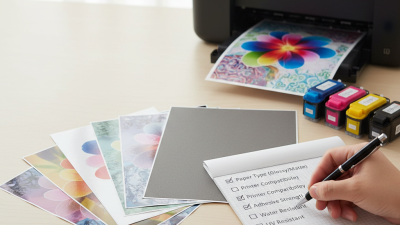
Measure the label size carefully. Leave enough space between labels for clean cutting and reliable feeding. Test one sheet before ordering in bulk. Print small text, a barcode, and a full-color image. Then check for smearing after thirty seconds and again after twenty-four hours. I once skipped this step, and the ink looked dry until the sheets rubbed together. That mistake was avoidable.

Consider adhesive strength and storage conditions. Removable adhesive suits temporary packaging, while permanent adhesive works better on boxes and sealed containers. For humid rooms, choose moisture-resistant material and store unused sheets flat in a sealed package. Paper thickness also matters; overly thick sheets may jam some compact printers. Review the printer manual and label specifications together. A short test run is cheaper than replacing hundreds of unusable sheets. Perfect results are not guaranteed, especially when ink, paper, and surface conditions vary.

How to Print, Apply, and Maintain Inkjet Labels Properly

Why Choose Inkjet Label Sheets for Your Business?

How to Print, Apply, and Maintain Inkjet Labels Properly

Inkjet label sheets work well for short production runs, product samples, and changing office information. Print quality depends on using sheets with a coating designed for inkjet printers. Check the printer settings before loading the sheet. Select the correct paper type and use the highest practical quality setting. I once saw a label job fail because the sheets were loaded upside down. A small test print can prevent wasted materials. Let fresh ink dry fully before handling the sheets.

Tips: Keep the paper path clean. Store unused sheets flat and away from humidity. Print a single sample first. Test, then adjust.

Apply labels to clean, dry surfaces without dust, oil, or moisture. Peel the backing slowly to avoid bending the label. Press from the center outward, removing air pockets with a smooth card. Rounded containers need careful positioning because edges may lift. Do not apply labels over seams, scratches, or damp areas. For maintenance, inspect labels regularly for fading, peeling, or smudging. Replace damaged labels before information becomes difficult to read. This routine is simple, but it is often overlooked. Even careful work can need improvement when surfaces, ink, and storage conditions change.

Why Choose Inkjet Label Sheets for Your Business?

Standard sheet formats provide practical flexibility for printing, applying, and maintaining inkjet labels. The chart compares the nominal surface area of common ISO and North American paper sizes, calculated from their published dimensions.

A4 and Letter sheets offer the largest working area for batch printing, while A5 and Half Letter formats can reduce material use for smaller jobs. For reliable results, select the correct media setting, print a test sheet, allow ink to dry before handling, apply labels to clean and dry surfaces, and store unused sheets flat in a cool, dry place.