Leave Your Message
Buying Thermal Printing Labels looks simple until a roll jams, a barcode fades, or adhesive fails inside a cold warehouse. The right choice affects scanning speed, package presentation, inventory accuracy, and daily operating costs. Thermal printing remains important in logistics, retail, healthcare, and manufacturing because it produces variable information without ink cartridges. Grand View Research’s Thermal Printing Market Size, Share & Trends Analysis Report identifies barcode, transportation, and logistics applications as significant market drivers. Smithers’ The Future of Labels and Labeling to 2028 also highlights e-commerce, automation, and variable-data printing as continuing influences.
This guide presents 10 Tips for Buying Thermal Printing Labels with practical purchasing details. It considers printer compatibility, direct thermal versus thermal transfer, label size, adhesive performance, liner quality, environmental exposure, and total cost. GS1’s General Specifications provide useful guidance for barcode quality and scan reliability, but standards alone do not guarantee successful application. A label may pass a desk test and fail on a dusty carton. Cold storage is less forgiving. Humidity changes everything.
Small trials matter.
Measure the core, roll diameter, print width, and storage conditions before ordering large quantities. Test labels on the actual packaging, not only on clean office paper. Some recommendations may need revision because printer models, surfaces, and workflows differ widely. Even experienced buyers can overlook liner curl or adhesive residue. These tips aim to reduce those surprises through evidence-based checks, supplier questions, and realistic field testing.
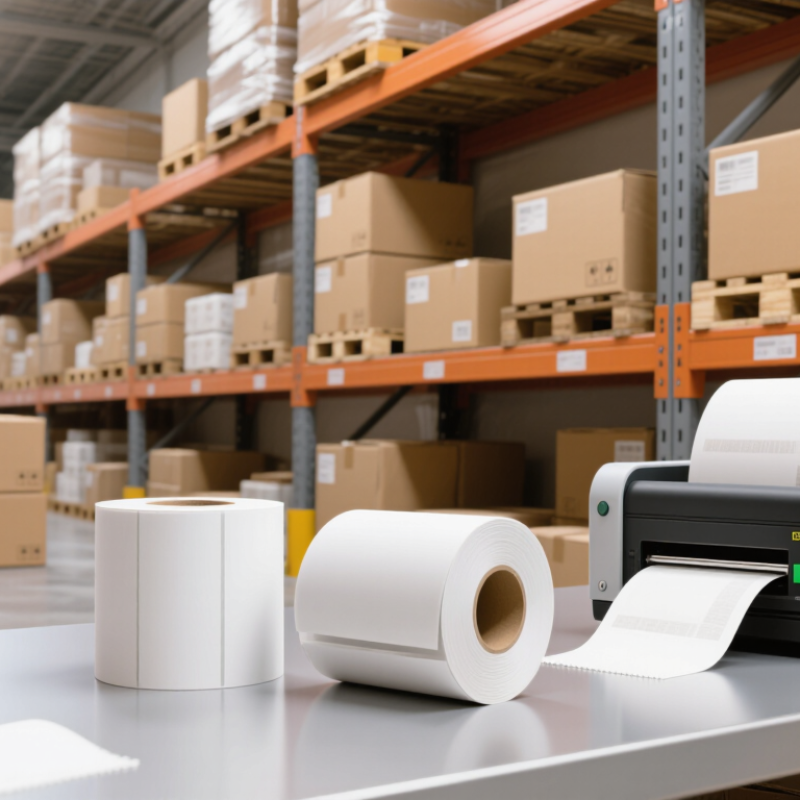
Identify your printer’s thermal technology before buying labels. Direct thermal printers create images through heat-sensitive coating. Thermal transfer printers use heat to move ink from a ribbon onto the label. The difference is critical. A 2024 Smithers market outlook estimates thermal printing demand will grow at roughly 5% annually through the decade, driven by logistics, retail, and healthcare applications. Growth does not guarantee compatibility.
Tip: Check the printer manual, media sensor, maximum label width, core size, and roll diameter. Direct thermal labels suit short-term shipping or receipt use. Their image can fade under sunlight, heat, or abrasion. Thermal transfer labels usually last longer, but the ribbon must match the label surface. Wax suits paper. Resin works better for chemicals, moisture, and friction. Hybrid formulations can be useful, though testing remains necessary.
Tip: Match the label adhesive to the application, not just the printer. Corrugated cartons, plastic containers, cold storage, and dusty surfaces need different adhesive behavior. Industry guidance from FINAT emphasizes testing label performance across temperature, humidity, and application conditions. Also check the printer’s recommended darkness and speed settings. Too much heat may blur edges or damage the coating. Too little heat creates weak, incomplete barcodes.
Tip: Print a small batch before purchasing in volume. Inspect barcode scans, peel strength, curl, and image contrast after storage. This step feels slow. It often prevents expensive rework. One overlooked detail is liner thickness, which can affect feeding and sensor detection. Compatibility is more than label size.
| Tip | Buying Check | What to Verify | Suitable Label Construction | Why It Matters |
|---|---|---|---|---|
| 1 | Identify the printer’s thermal technology | Determine whether the printer uses direct thermal or thermal transfer printing. | Direct thermal labels for heat-sensitive media; thermal transfer labels for ribbon-based printing. | The wrong label type can produce faint images, poor adhesion, or unusable prints. |
| 2 | Confirm the printable width | Check the printer’s maximum print width and compare it with the label width, including any side margins. | Label width should remain within the printer’s supported printable area. | Oversized labels may rub against internal components or cause alignment and feeding errors. |
| 3 | Match the label dimensions | Measure label width, height, gap, perforation, and corner shape. | Roll or fan-fold labels with dimensions matching the printer’s media sensor settings. | Accurate dimensions help the printer detect each label and prevent skipped or duplicated prints. |
| 4 | Check the core and roll size | Verify the roll’s outer diameter, core diameter, winding direction, and maximum roll capacity. | Rolls with a core and outside diameter supported by the printer’s media compartment. | An incompatible roll can fail to load, unwind unevenly, or place excess strain on the media holder. |
| 5 | Select the correct label material | Consider paper, synthetic film, or specialty stock based on the working environment. | Paper for general indoor use; film labels for moisture, abrasion, or chemical exposure. | Material choice affects print clarity, tear resistance, moisture resistance, and service life. |
| 6 | Choose the right adhesive | Evaluate permanent, removable, freezer-grade, high-temperature, or repositionable adhesive requirements. | Adhesive selected for the substrate, temperature range, surface texture, and expected storage period. | Adhesive failure may cause labels to lift, curl, transfer residue, or become difficult to remove. |
| 7 | Consider image durability | Estimate exposure to light, heat, moisture, friction, chemicals, and storage time. | Thermal transfer labels generally provide longer-lasting images; direct thermal is suited to shorter-term use. | Direct thermal images can darken or fade when exposed to heat, sunlight, or abrasion. |
| 8 | Verify ribbon requirements | For thermal transfer printers, check ribbon width, length, coating side, winding direction, and ink compatibility. | Wax ribbon for many paper applications; resin or wax-resin ribbon for more demanding surfaces. | Ribbon and label surface must work together to achieve proper ink transfer and image durability. |
| 9 | Review sensor and registration compatibility | Check whether the printer uses gap, black-mark, notch, or continuous-media sensing. | Labels manufactured with the appropriate gap or registration mark location and contrast. | Correct sensing features help maintain consistent label positioning and reduce media waste. |
| 10 | Test before placing a large order | Print sample labels at the intended speed, darkness, resolution, and application conditions. | A tested combination of facestock, adhesive, ribbon if required, and label dimensions. | Testing confirms feed reliability, barcode readability, adhesion, and durability before full production. |


 Phone
Phone Send Email