How to Choose the Best Inkjet Label Sheets for Your Business
Choosing label sheets can seem like a small purchasing decision. In practice, the wrong stock can waste ink, jam a printer, or peel from packaging before a customer sees it. Inkjet Label Sheets vary in finish, adhesive, sheet size, and compatibility, so a low price alone rarely tells the whole story. Start with the job the label must do.
A product jar stored in a refrigerator needs different material from a shipping label handled briefly indoors. Consider moisture, handling, surface texture, and how long the label must remain attached. Then check your printer’s specifications, including supported media size and paper weight. Some inkjet printers feed thick or glossy sheets unevenly. Test one sheet first. It is a modest step, but often overlooked.
Print quality also depends on the ink and coating. A matte finish can make small text easier to read, while a glossy surface may give colors more impact. Neither is automatically better. Confirm that the coating is designed for inkjet use, and allow printed sheets to dry before stacking or applying them. Adhesive strength matters too, though stronger is not always safer for delicate packaging. Compare sample labels on the actual surface, not just on a desk. Results can surprise you.
This guide explains how to match label materials, sizes, finishes, and adhesives to everyday business needs. It also points out trade-offs worth checking before you buy. No single sheet works everywhere. A careful test can prevent an expensive mismatch.
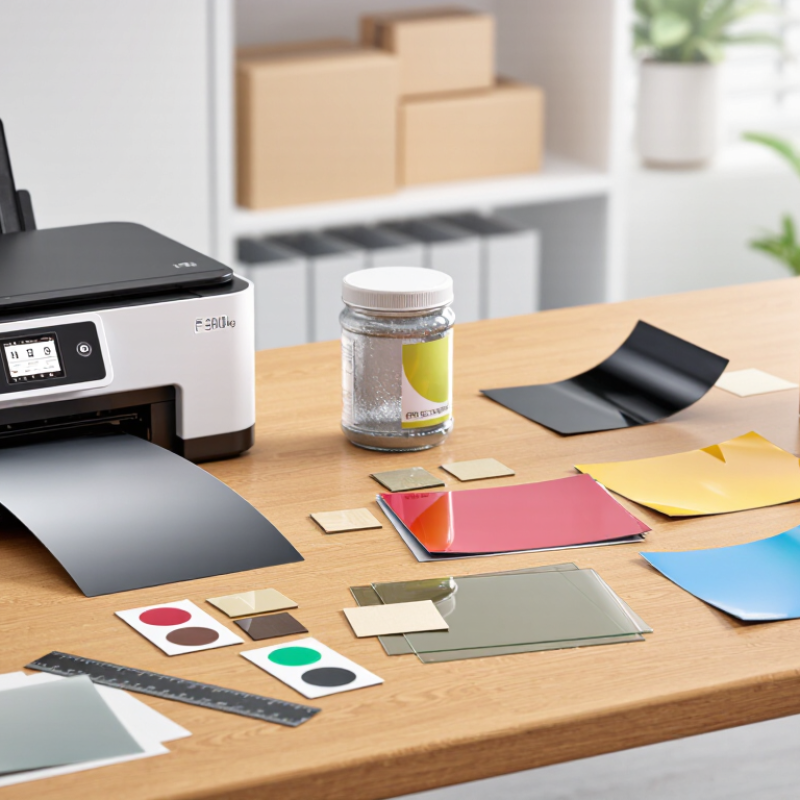
Identify Your Business’s Labeling Needs
Before choosing inkjet label sheets, define what each label must do. Product labels may need crisp color and a polished finish, while shipping labels need readable addresses and dependable adhesion. Note the label size, shape, quantity, and surface. A label for a glass jar may behave differently from one placed on a textured carton. Small details matter.
Tips: Check that the sheet size matches your printer’s supported paper settings. Test one sheet before ordering a large quantity. Look closely at ink drying time, smudging, and alignment. Keep a sample on the actual product for several days. It may reveal issues you missed.
Also consider where labels will be stored and handled. Humidity, frequent touching, or chilled surfaces can affect print quality and adhesion. Choose a finish that suits the setting, but avoid paying for features your labels do not need. If staff apply labels by hand, leave enough spacing for easy peeling. I have found that neat artwork alone does not guarantee a practical label. A simple test run can expose awkward sizing or slow application before it becomes a recurring problem.
How to Choose the Best Inkjet Label Sheets for Your Business
Identify Your Business’s Labeling Needs
Start by checking which sheet formats your inkjet printer supports and how much space your label layout requires.
The chart compares the nominal area of common sheet formats. Actual printable area may be smaller because of printer
margins, so check your printer specifications before choosing label sheets.
Confirm Compatibility With Your Inkjet Printer
Before ordering label sheets, confirm that the packaging specifically lists inkjet compatibility. Inkjet printers place liquid ink on the surface, while some label coatings are designed for toner instead. The wrong coating can leave text smudged or colors dull. Small detail, big difference.
Check your printer’s manual for supported sheet size, thickness, and paper type. A standard letter-size sheet may fit, but thick backing can catch in a tight paper path. Rear or manual-feed trays often handle specialty media more smoothly. I still double-check the feed instructions; it is easy to assume every tray works the same way.
Look for a recommended media setting, such as matte or glossy, that matches the label finish. This helps control ink delivery and drying time. If the sheet feels slick, test one page before printing a full batch. Let it dry fully, then rub a corner gently with a clean finger. I once rushed this check and ended up with a slightly blurred edge—not a disaster, but worth avoiding. Also verify that labels are compatible with your printer’s feeding direction, especially if the sheet has a narrow margin. A quick test reveals more than the product description can.
Compare Label Materials, Adhesives, and Finishes
Paper label sheets suit everyday cartons, folders, and product jars kept indoors. They are usually easy to print and economical for short runs. For bottles handled with damp hands, synthetic film may resist moisture and tearing better. Check that the sheet is made for inkjet printers; some coated materials need extra drying time. A tiny smear can ruin a neat batch.
Adhesive choice depends on the surface and the label’s lifespan. Permanent adhesive often works for boxes and smooth containers, while removable adhesive can help with temporary price or storage labels. Dust, oil, and condensation weaken adhesion, even when the label itself is water-resistant. Press a test label onto the actual package, then check its edges the next day. Small detail, big difference.
Finish affects both appearance and handling. Matte sheets reduce glare and make small text easy to read under bright shop lights. Gloss finishes give colors more pop, but fingerprints and reflections may show. Ink can also take longer to dry on some glossy coatings, so stack printed sheets only after checking for transfer. Test before ordering. I would compare a few sheets under real lighting and handling conditions; a sample may behave differently from a full production run.
Test Print Quality and Assess Supplier Reliability
Before ordering a large run, print on the exact label stock you plan to use. Check text edges, barcode readability, color consistency, and whether ink smears after drying. Small flaws matter. Test several sheets, not just one. A clean first page can hide feeding problems that appear later. Record the printer settings, room conditions, and any jams; repeat the test after the sheets have rested overnight. Smithers’ industry report, The Future of Label Printing to 2028, projects continued growth in the global label market. That makes dependable stock and repeatable print quality practical purchasing concerns, not cosmetic details.
Supplier reliability needs its own test. Request current technical specifications, a sample lot, and written guidance on storage and printer compatibility. Ask how the supplier tracks lot numbers and handles defects. Then compare a delivered sample with the approved one for sheet dimensions, adhesive position, and coating consistency. One perfect page is not proof. Try a modest reorder and note delivery accuracy, response time, and whether specifications remain consistent. A supplier may answer quickly but still provide vague quality records; that deserves a second look. Keep dated sample sheets and photos. These checks cannot guarantee every future shipment, but they expose avoidable surprises before they reach customers.




 Phone
 Send Email