10 Essential Tips for Using Label Sheets Effectively in Your Home Office
Creating an organized home office can significantly boost your productivity. One simple yet effective tool to achieve this is using Label Sheets. These sheets help identify items quickly and create a visually appealing workspace.
Consider how frequently we misplace items in our office. Papers pile up, and supplies blend into each other. Label Sheets can help you avoid this chaos. They offer a straightforward way to categorize files, drawers, and shelves. You can personalize labels for each category, making retrieval easy.
However, it’s vital to reflect on how you use these sheets. Are your labels clear and concise? Do they cover everything you need? Investing time into thoughtful labeling now can ease future frustrations. Embrace the opportunity to transform your workspace with Label Sheets, but don’t forget to evaluate their effectiveness periodically.
Understanding Different Types of Label Sheets for Home Office Use
Label sheets come in various types, each suited for different tasks in your home office. Understanding these options can enhance your organization efforts. According to a recent industry study, 79% of professionals believe that proper labeling improves workflow efficiency. There are standard sheets that cater to everyday needs, such as filing and organizing documents. For example, using clear labels can help identify folders quickly, reducing search time.
Specialty label sheets are also available. They are designed for unique surfaces, like CDs or plastic storage bins. A survey found that employees spend 30% of their work hours searching for misfiled documents. Utilizing specialty labels can cut down on this wasted time. It’s essential to choose the right material based on where you will stick the labels. Some surfaces may not hold adhesive labels well, leading to frustration.
Despite the availability of many options, it’s easy to overlook small details. Sometimes labels peel off or fade over time. This can create confusion. Regular maintenance, like updating labels, can help avoid chaos. Reflect on your labeling habits. Are they effective over the long term?
10 Essential Tips for Using Label Sheets Effectively in Your Home Office
| Label Type |
Best Uses |
Material |
Size Options |
| Address Labels |
Mailing and shipping |
Paper |
1" x 2.625", 2" x 4" |
| File Labels |
Organizing folders and files |
Avery® cardstock |
0.5" x 2", 1" x 3" |
| Name Tags |
Conferences and meetings |
Plastic |
3" x 4" |
| CD/DVD Labels |
Media labeling |
Glossy paper |
Standard disc size |
| Shipping Labels |
Parcel identification |
Water-resistant |
4" x 6" |
| Product Labels |
Marketing materials |
Vinyl |
2" x 2", 2" x 5" |
| Inventory Labels |
Stock management |
Polyester |
1" x 1", 1" x 4" |
| Beverage Labels |
Homebrewing and party favors |
Waterproof |
3" x 4" |
| Warning Labels |
Safety information |
Adhesive vinyl |
2" x 3" |
Choosing the Right Printer Settings for Optimal Label Printing
Choosing the right printer settings is crucial for successful label printing. Incorrect settings can lead to smudges or misaligned labels, wasting materials. Always check the label sheet type. Different sheets require different ink settings. If your labels are glossy, adjust your printer to accommodate that finish.
Next, ensure the correct paper size is selected. Using the wrong dimensions may result in cutting off important information. Test print on plain paper first. This helps check alignment and readability. Be mindful of the ink quality as well. Low-quality ink can cause fading or smearing after printing.
It's worth experimenting with different settings. Sometimes it takes a few tries to get it right. Don't be discouraged if the first print isn't perfect. Learning from mistakes can lead to better results. Each label sheet type may need unique adjustments. Observing these nuances will improve your printing game.
Optimal Label Printing Settings in Home Office
This chart illustrates the number of users who prefer different print quality settings when using label sheets in a home office environment. The standard and high-quality settings are the most popular choices, while draft and photo settings see less usage.
Organizing Your Label Designs for Easy Access and Use
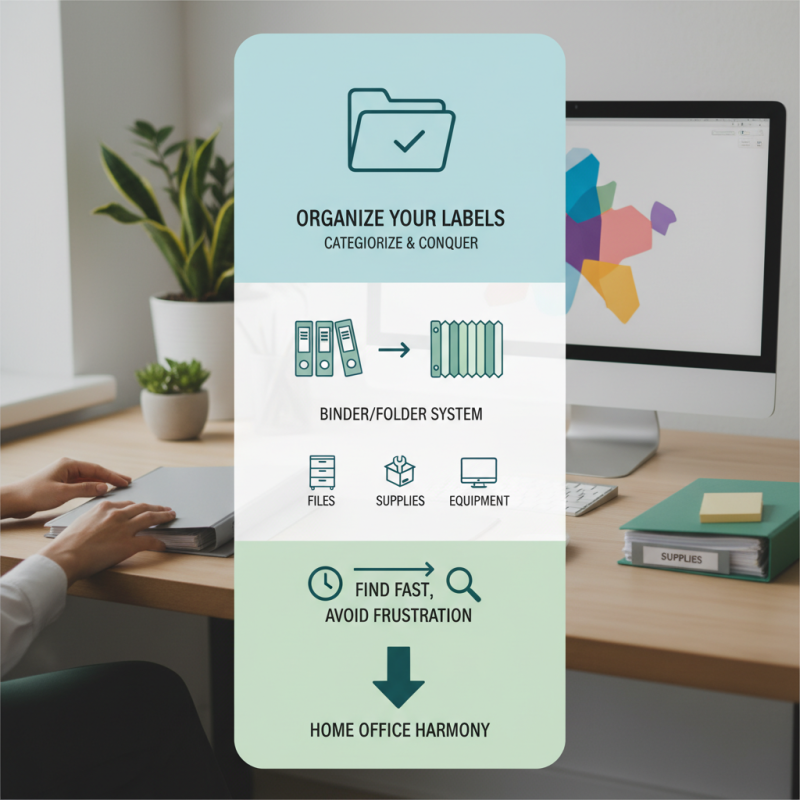
In a home office, having a well-organized system for your label designs can significantly boost efficiency. Start by categorizing your labels into specific groups, such as for files, supplies, or equipment. Use a binder or an accordion folder to keep these categories separate. Label the sections clearly to avoid confusion. When you need a label, you want to find it quickly. This method helps eliminate the frustration that comes from a disorganized space.
Don’t hesitate to experiment with design layouts. Sometimes, a design that seemed perfect initially may not serve well once printed. Adjust colors or fonts as necessary. Take the time to create a simple digital catalog of your designs. Include photos for quick reference. A disorganized digital space can mirror physical clutter, so keep your files neat.
Reflect on your label usage regularly. Are there designs that you never use? Consider removing them to streamline your options. This will make it easier when time is tight. An organized approach is not just about creating labels; it’s about enabling ease of access and functionality in your workspace. Keep refining your system, and it will pay off in smoother day-to-day operations.
Tips for Proper Label Application to Ensure Quality and Durability
Properly applying labels can drastically improve organization in your home office. According to industry data, a well-organized workspace can boost productivity by up to 20%. To achieve this, it's essential to focus on the detail of label application.
Before placing a label, ensure that the surface is clean and dry. Dust and moisture can strip adhesive strength. Many users overlook this step, leading to labels peeling or curling. Additionally, aligning labels correctly is crucial. Misalignment not only detracts from a professional appearance but also affects functionality.
Using high-quality label sheets also enhances durability. Reports indicate that the lifespan of labels can vary significantly. Labels applied with precision can last over five years. Choosing the right ink to print is another area of concern. Ensure the ink is compatible with the label material. Smudging or fading can render labels ineffective.
Rethink your labeling techniques. Occasionally, we rush and skip verifying font sizes or color contrasts. This can lead to confusion later on. Prioritizing clarity in label content prevents misunderstandings. If you find old labels no longer serve their purpose, replace them. Regular updates keep your office efficient and functional.
Storing and Managing Leftover Label Sheets Effectively
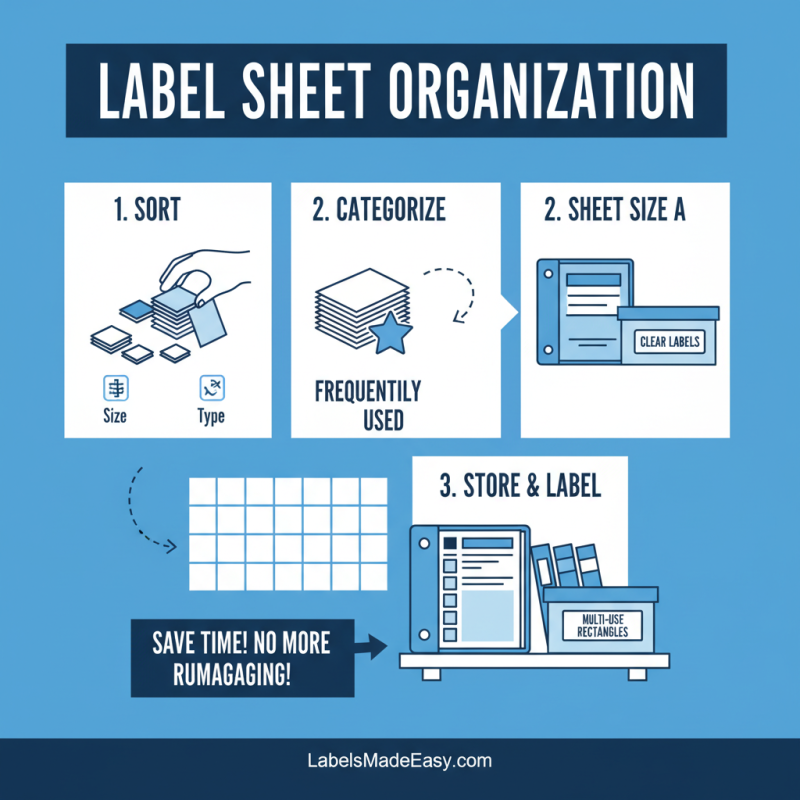
When managing leftover label sheets, organization is key. Start by sorting sheets based on size and type. Keep the most frequently used labels together. You can use a binder or a dedicated box for storage. Label these containers clearly. This way, you can avoid rummaging through a pile when you need a specific sheet.
Consider a digital inventory. A simple spreadsheet can track what you have. Include column headings for the label type, quantity, and size. This allows for quick reference. Of course, sometimes you forget what’s there. You might end up buying duplicates. Keep your inventory updated to prevent this.
If you have leftover sheets, use them creatively. Try printing custom labels for your files or personal items. Sometimes they don’t align perfectly, but that's okay. Imperfections add character. Experiment with various projects. By doing so, you give new life to sheets that might otherwise go to waste.


 Phone
Phone Send Email