How to Create a Shipping Label in 2026?
Creating a Shipping Label in 2026 is no longer a simple printing task. It connects order accuracy, delivery speed, customer trust, and operational control. Many shoppers search for “Shipping Lable,” although “Shipping Label” is the correct spelling.
The need for precision is growing. Pitney Bowes reported 161.8 billion parcels worldwide in its 2024 Parcel Shipping Index. That volume leaves little room for unreadable barcodes, incorrect addresses, or mismatched package weights. A practical workflow begins with verified sender and recipient details. Then, select the correct carrier service, enter the package dimensions, confirm the weight, and review the delivery cost. Small errors matter. A one-digit address mistake can delay a parcel and create avoidable support work.
Customer expectations also shape label creation. DHL’s 2024 E-Commerce Trends Report found that sustainability strongly influences many online shoppers. Therefore, efficient packaging and appropriate service selection deserve attention. Baymard Institute’s checkout research also reports an average cart abandonment rate near 70%, with unexpected costs remaining a major concern. Clear shipping charges can reduce unpleasant surprises.
Still, no label process is perfect. Scanners may fail. Scales can be poorly calibrated. I have seen a clean-looking label hide an incorrect apartment number. A second review helps. Print a sharp, high-contrast label, place it on the largest flat surface, and remove old barcodes. This guide explains each step with practical checks, current shipping considerations, and room for honest improvement.
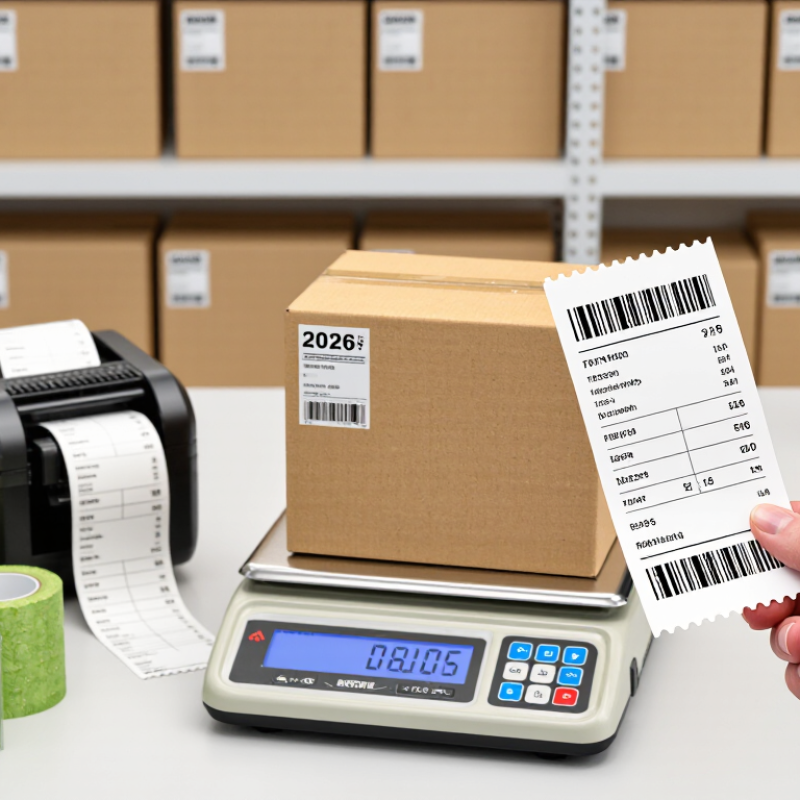
What a Shipping Label Is and What Information It Contains
How to Create a Shipping Label in 2026?
A shipping label is the package’s routing instruction. It helps carriers identify the sender, recipient, service level, and delivery destination. A clear label usually includes the sender’s name and return address, the recipient’s full address, postal code, country, package weight, and tracking number. It may also show a barcode, handling instructions, and a shipment reference.
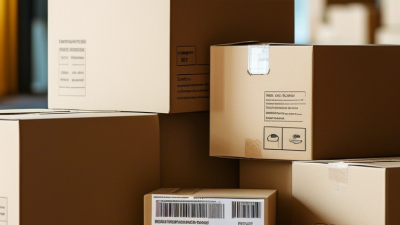
Accuracy matters more than design. One missing apartment number can delay delivery. A smudged barcode can create a manual processing problem. Use a flat, white surface near the largest side of the box. Keep the label away from seams, corners, tape, and curved edges. Print it at a readable size, then compare every detail with the order record before attaching it.
Small details deserve attention. Check that the weight matches the package, especially after adding protective material. For international shipments, provide truthful contents and declared value when required. Never cover the barcode with glossy tape unless the code remains easy to scan. In practice, labels often fail because someone rushes the final check. I have found that a second review catches simple errors, although it feels unnecessary when the parcel looks ready. Mistakes happen. A careful pause still helps.
Enter Accurate Sender, Recipient, Package, and Customs Details
How to Create a Shipping Label in 2026?
Creating a shipping label in 2026 starts with accurate information, not a template. Enter the sender’s full name, street address, apartment number, city, region, postal code, and phone number. A missing unit number can send a parcel toward a warehouse instead of a doorstep. Use the address where the parcel actually leaves. I once copied an old return address and nearly delayed a shipment. That small mistake changed the delivery estimate.
Type the recipient’s details directly from a confirmed message or order record. Check spelling, capitalization, postal code, and delivery instructions before printing. Do not replace a building name with an assumption. For rural or international deliveries, include the complete locality and contact number when permitted. Then describe the package honestly: contents, quantity, weight, dimensions, and declared value. Measure the packed parcel, not the empty box. A kitchen scale helps, but mine once rounded the weight too generously. That error may affect postage, inspection, or delivery handling.
International labels require careful customs information. Use a clear, specific description such as “cotton shirt,” not “goods.” Include the correct commodity classification, country of origin, and value when requested. Never guess a customs field simply to finish faster. Review destination requirements and shipping restrictions before payment. Keep a copy of the label and compare it with the parcel at hand. The final check should match every line, including the barcode.
How to Create a Shipping Label in 2026? - Enter Accurate Sender, Recipient, Package, and Customs Details
| Sender Details |
Recipient Details |
Package and Customs Details |
| Label ID |
Sender Name |
Sender Address |
Sender Contact |
Recipient Name |
Recipient Address |
Destination Country |
Recipient Contact |
Contents Description |
Quantity |
Weight |
Dimensions |
HS Code |
Declared Value |
| SL-2026-001 |
Jordan Lee |
145 Oak Street, Portland, OR 97205, United States |
+1 503 555 0147
[email protected] |
Maya Patel |
27 Cedar Road, London SW12 8AA, United Kingdom |
United Kingdom |
+44 20 7946 0182
[email protected] |
Cotton T-shirts, adult sizes |
3 |
1.20 kg |
32 × 24 × 10 cm |
6109.10 |
USD 48.00 |
| SL-2026-002 |
Sofia Nguyen |
88 King Street, Toronto, ON M5V 2K5, Canada |
+1 416 555 0196
[email protected] |
Ethan Wilson |
14 Maple Avenue, Dublin D06 X2H1, Ireland |
Ireland |
+353 1 555 0134
[email protected] |
Printed books, educational use |
5 |
2.80 kg |
38 × 28 × 18 cm |
4901.99 |
CAD 72.50 |
| SL-2026-003 |
Daniel Kim |
62 Pine Lane, Melbourne, VIC 3000, Australia |
+61 3 5550 0168
[email protected] |
Olivia Martin |
9 River Walk, Auckland 1010, New Zealand |
New Zealand |
+64 9 555 0127
[email protected] |
Ceramic drinking mugs |
4 |
3.40 kg |
40 × 30 × 22 cm |
6912.00 |
AUD 96.00 |
| SL-2026-004 |
Amelia Brown |
31 Birch Crescent, Manchester M1 4AB, United Kingdom |
+44 161 555 0175
[email protected] |
Noah Garcia |
120 Sunset Boulevard, Los Angeles, CA 90028, United States |
United States |
+1 323 555 0119
[email protected] |
Leather travel wallet |
1 |
0.35 kg |
25 × 18 × 8 cm |
4202.31 |
GBP 35.00 |
All measurements, weights, addresses, contact details, HS codes, and declared values should be checked against the actual shipment before the label is created.
Calculate Postage, Pay for the Label, and Review the Final Data
How to Create a Shipping Label in 2026?
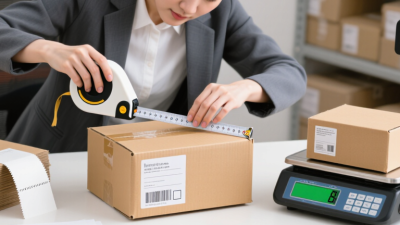
Creating a shipping label starts with accurate measurements, not a guessed price. Place the packed item on a digital scale. Measure length, width, and height after sealing the box. Compare actual weight with dimensional weight, because carriers usually bill the higher figure. The 2024 Parcel Shipping Index recorded 161.8 billion parcels worldwide in 2023. Small measurement errors can therefore create major billing differences across today’s delivery networks.
Enter the sender and recipient details carefully. Match the postal code, apartment number, and delivery instructions with the order record. Select the service according to delivery speed, package size, and tracking needs. Review the postage calculation before paying. Check surcharges, residential fees, fuel adjustments, and optional coverage. The 2024 Global Postal Industry Report highlights continued parcel growth and rising delivery complexity. Cheap postage is not always the best choice.
Pay only after checking the final label preview. Confirm the recipient, return address, weight, dimensions, service level, and declared contents. A blurry barcode can delay scanning, so print at full size. I once trusted an automatically saved address and missed a unit number. That mistake was avoidable. Save the receipt and tracking reference separately. Review it again. Data deserves a second look.
How to Create a Shipping Label in 2026?
Calculate postage, pay for the label, and review the final shipping data before printing.
The chart shows an example domestic parcel rate card by package weight. Enter the destination, package dimensions, weight, and service level to calculate postage. After payment, compare the final charge and address details with the package information before printing the label. Rates are planning examples and should be verified against the current live quote.
Print, Attach, and Track the Shipping Label in 2026
Creating a shipping label in 2026 is easier when each detail is checked before printing. Enter the recipient’s full address, package weight, dimensions, and contact information carefully. A small mistake can delay delivery. Review the label preview against the physical parcel. I once missed an apartment number, and the correction took longer than expected.
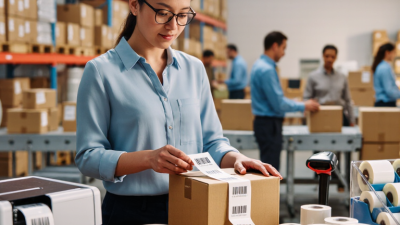
Print the label on clean white paper with sharp, readable text. A thermal printer is convenient, but a standard printer works well too. Do not fold the barcode across an edge. Attach the label to the largest flat surface, then cover it with clear tape or a protective sleeve. Keep the barcode visible and smooth. Avoid placing tape over damaged or unclear printing.
Before handing over the package, compare the tracking number with your digital receipt. Take a quick photo of the attached label for your records. Use the official tracking page to check acceptance, movement, and delivery scans. Updates may not appear immediately after drop-off. That part can feel uncertain. If no scan appears within the expected period, confirm the handoff location and contact the shipping provider with your receipt. My process is reliable, but not perfect; labels can still peel, printers can blur, and addresses deserve one final human review.



 Phone
Phone Send Email